




TEAM FORTRESS 2
VERGE
Win the fight before it starts.
Aimbot, ESP, Engine Hacks – you name it. All while being 100% undetected.
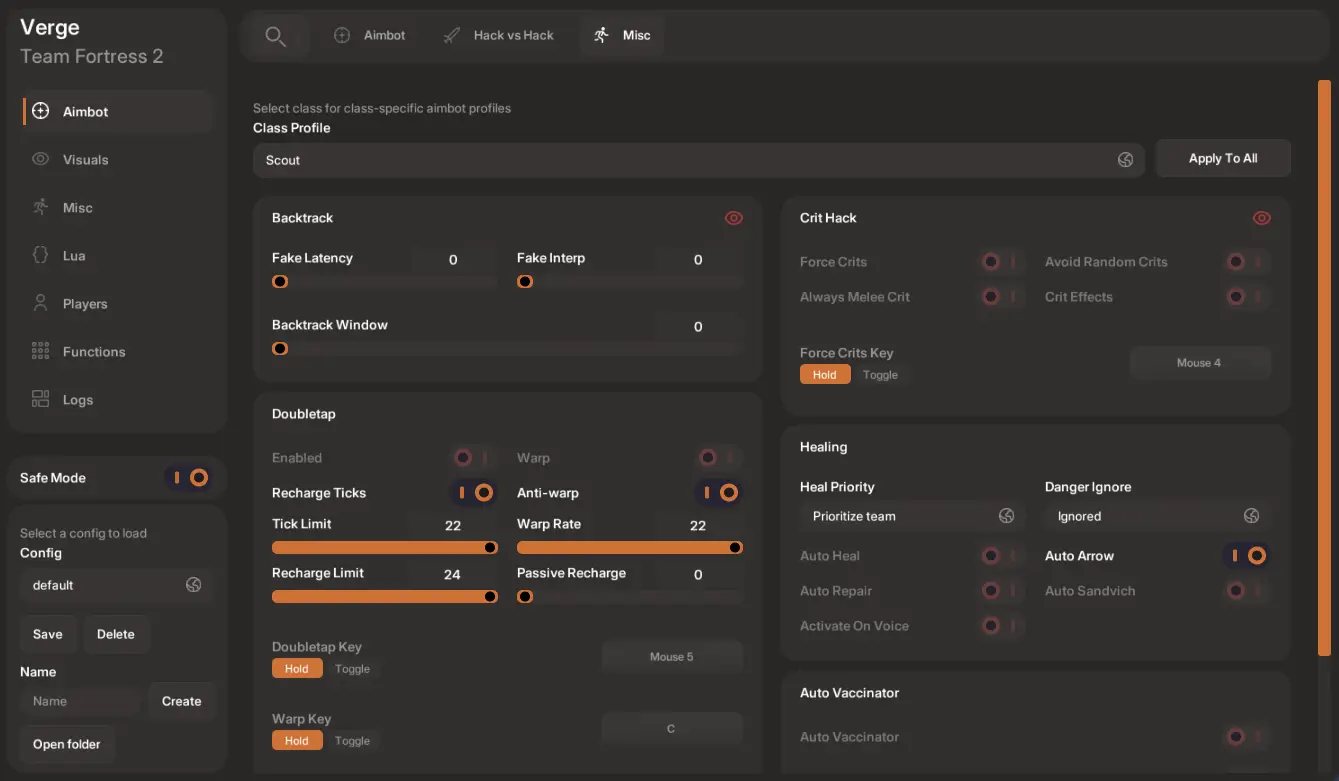
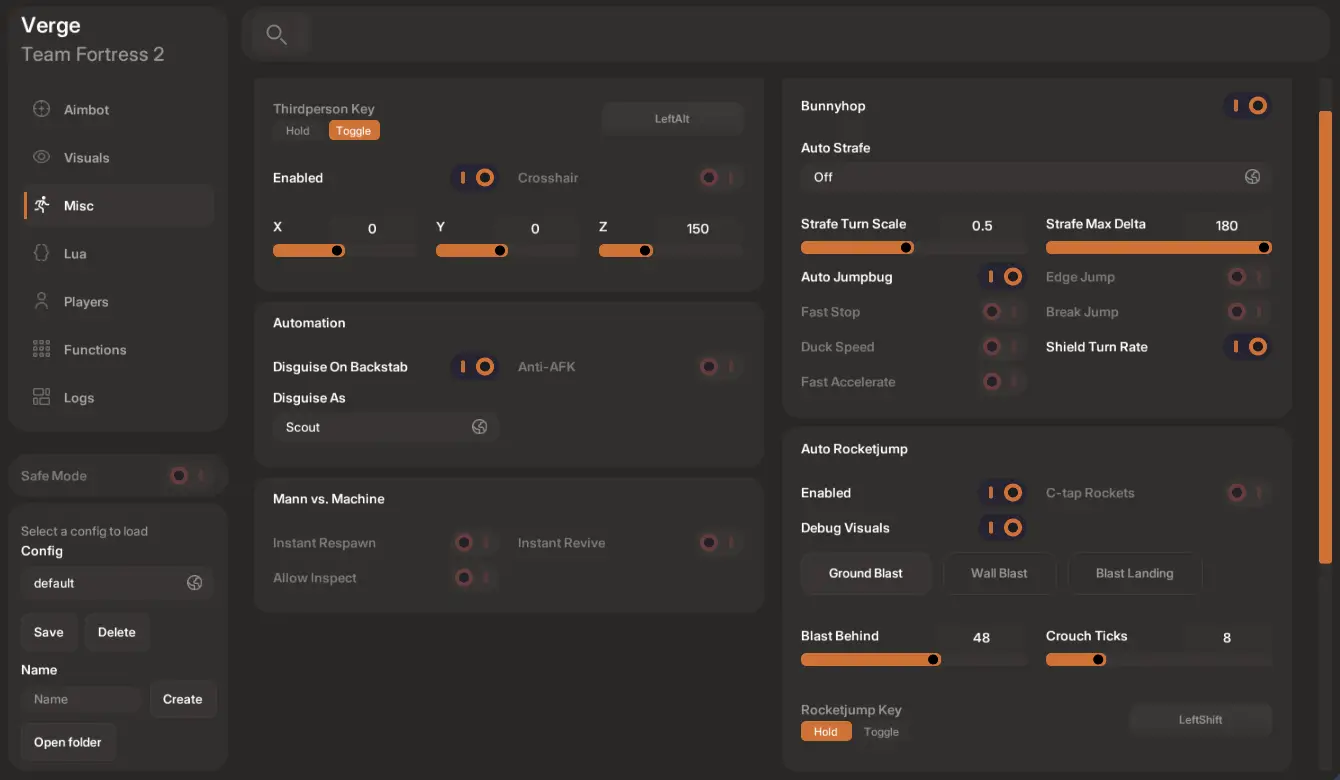
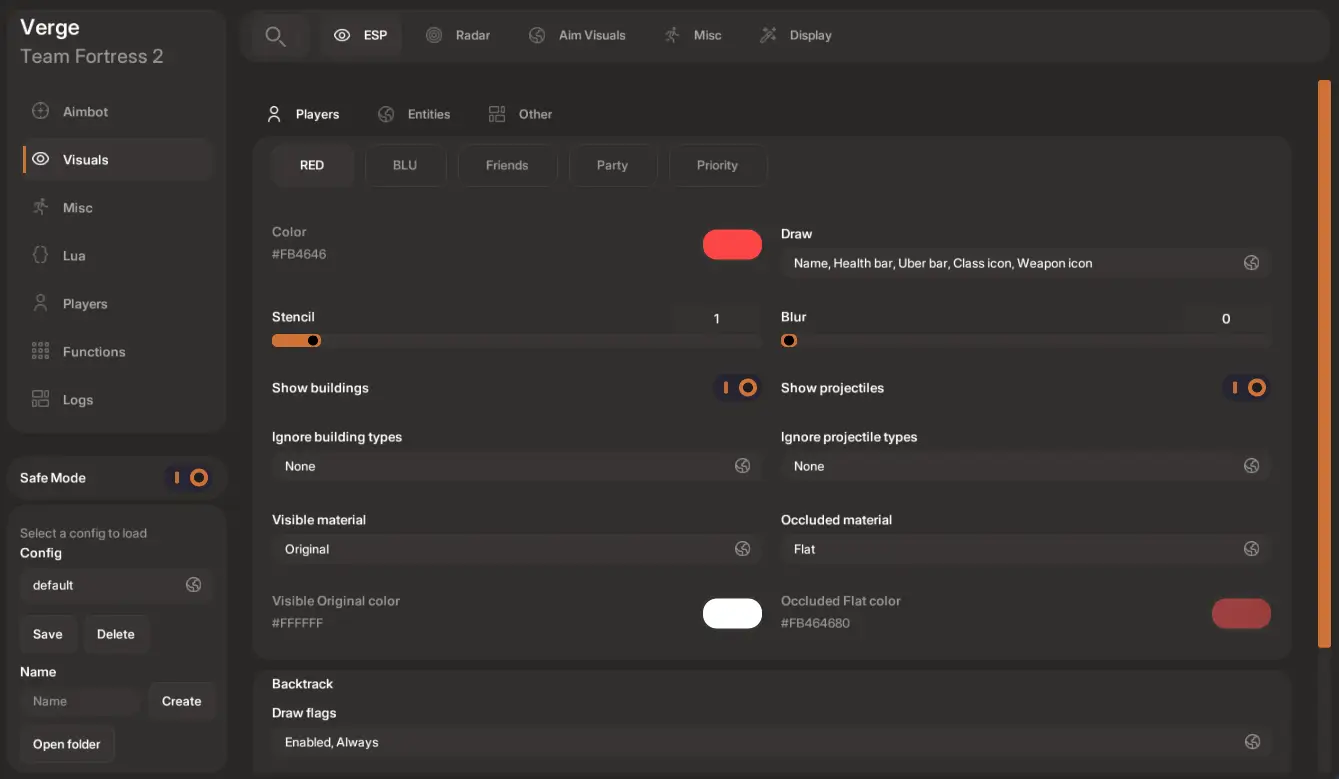
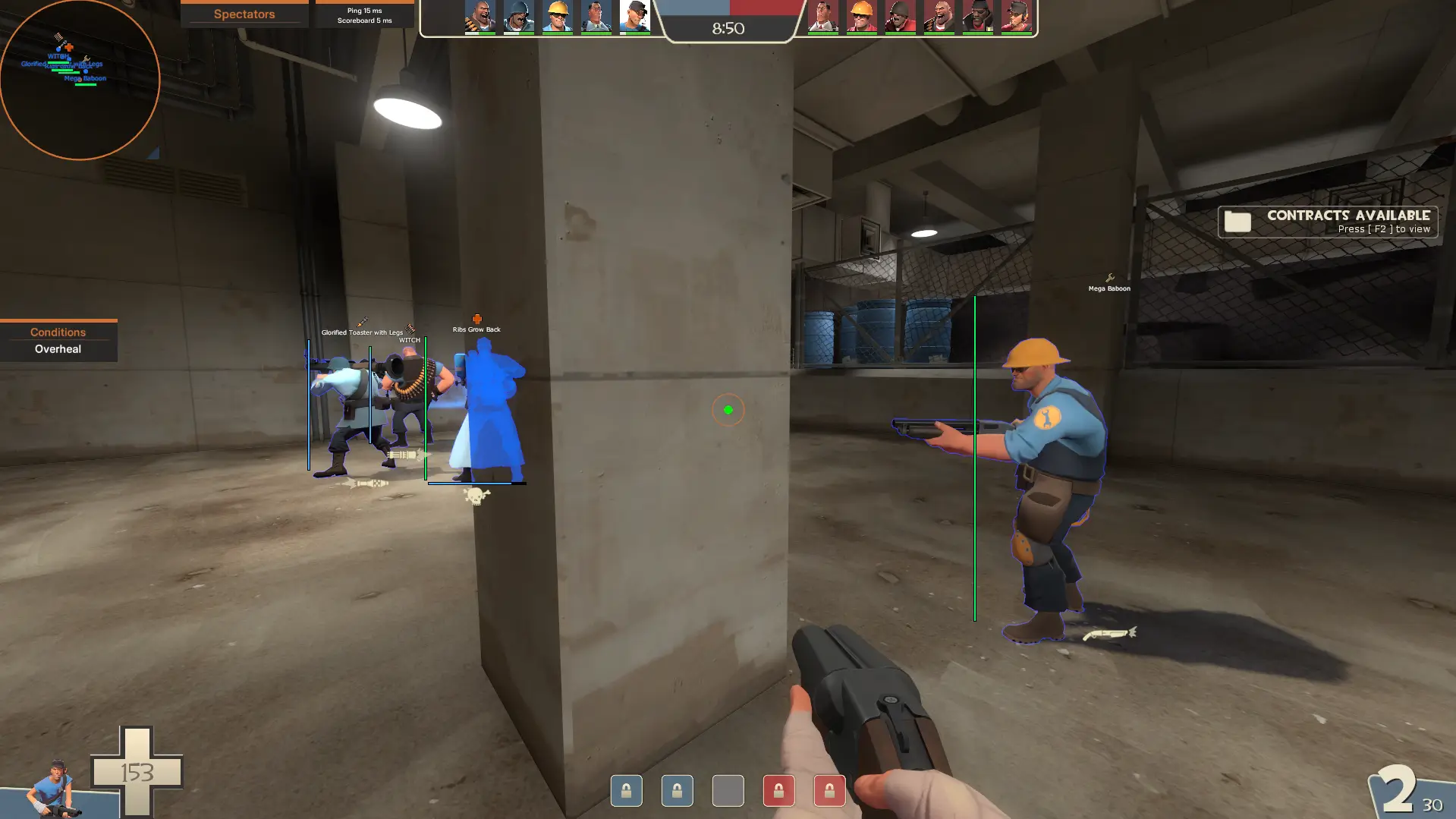
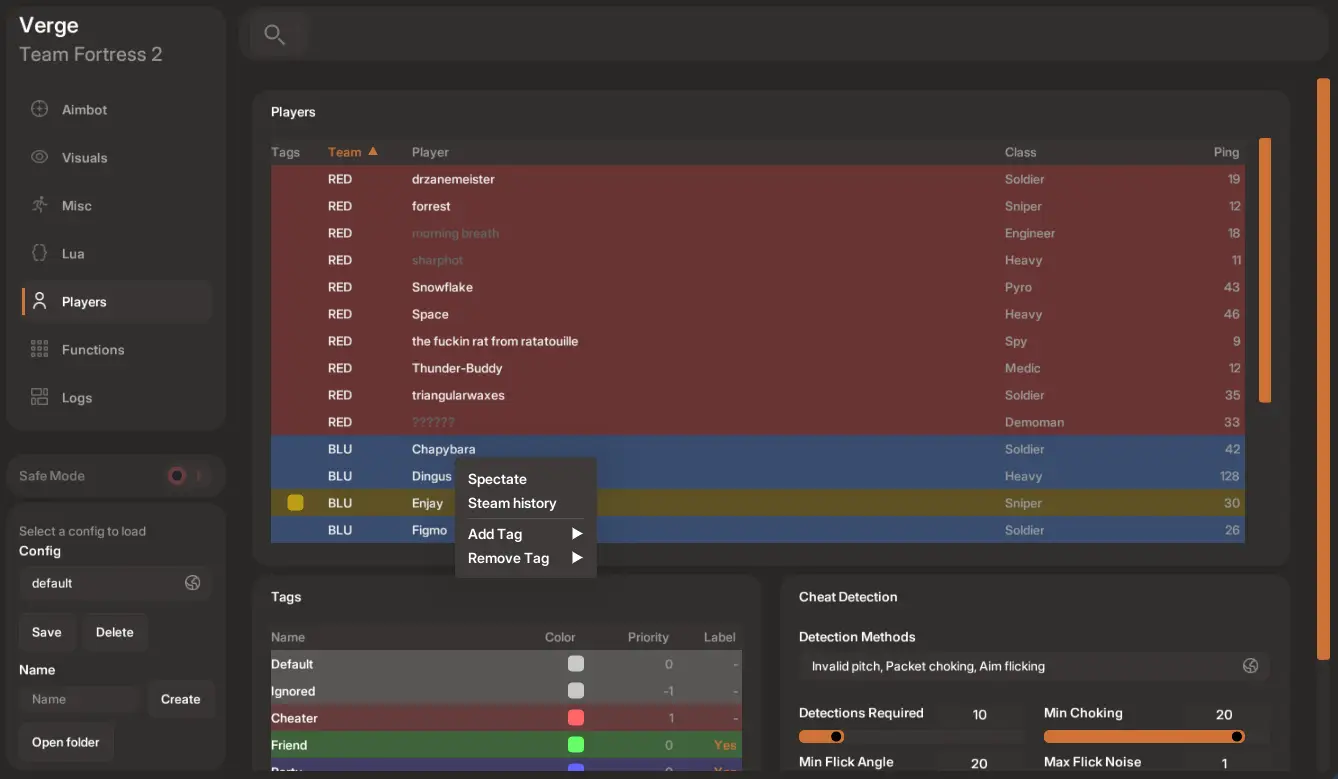
Aimbot, Automation, Engine Hacks
Aimbot
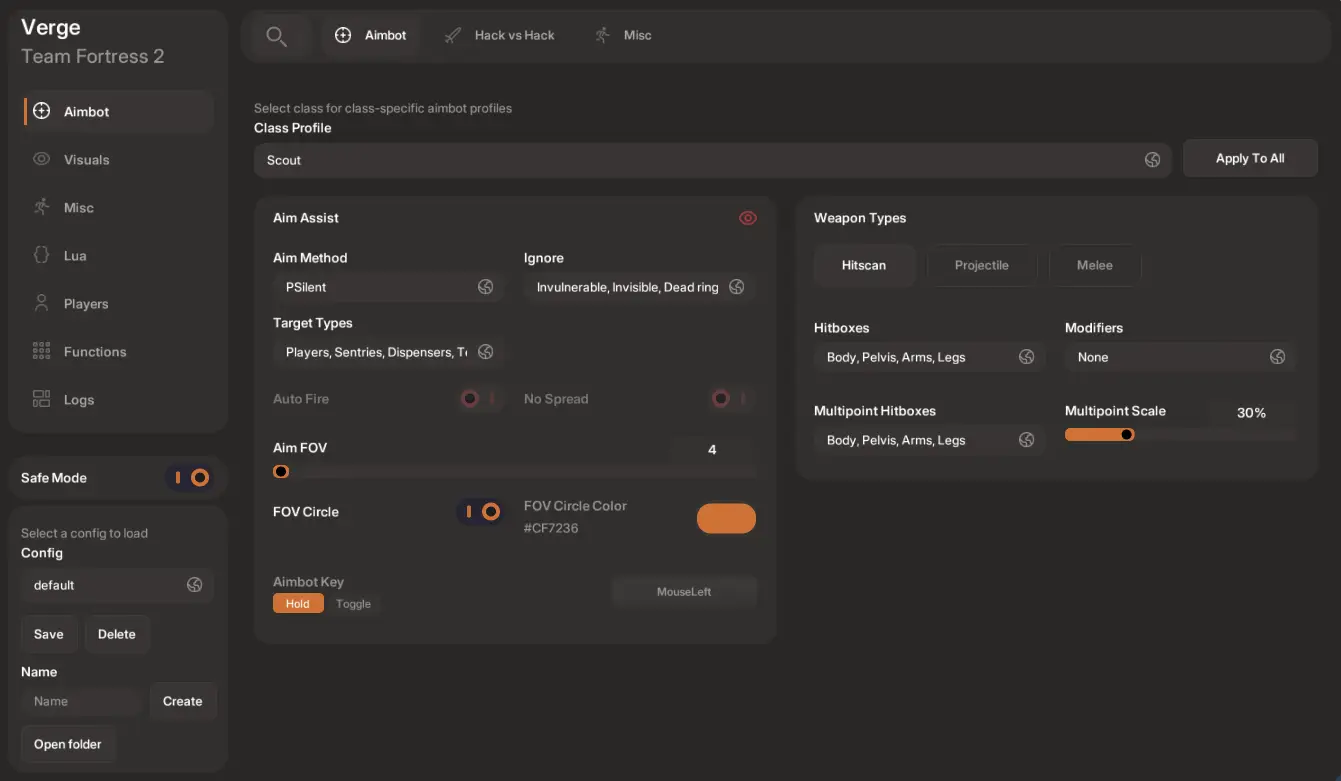
Pick a style and Verge handles the rest – from legitimate aim assist to perfect silent aim.
- Five aim types – Plain, Smooth, Assist, Silent, PSilent
- Class profiles – per-class settings that automatically follow the class you’re playing
Weapon types
- No-spread – every shot lands
- Class modifiers – automatic minigun revving, auto scope, charge delay, etc.
- Hitbox multipoint – appear legitimate with hitbox target randomization
- Multi-class projectile settings – tweak projectile specific settings for demoman, soldier, etc.
- Perfect projectile prediction – runs local simulations to determine accurate projectile firing
- Auto detonate – auto detonate stickies and pyro flare
- Class modifiers – auto charge stickies, air splashing, demoman lob angles
- Auto-swing in adjustable melee FOV range
- Auto-backstab
- Whip team
Hacks
- Choose when to fire a random crit
- Abuse ticks to fire multiple shots at once and move quicker via warping
- Take advantage of lag compensation to hit players reliably – works by shifting target’s positions back in time
Hack vs Hack
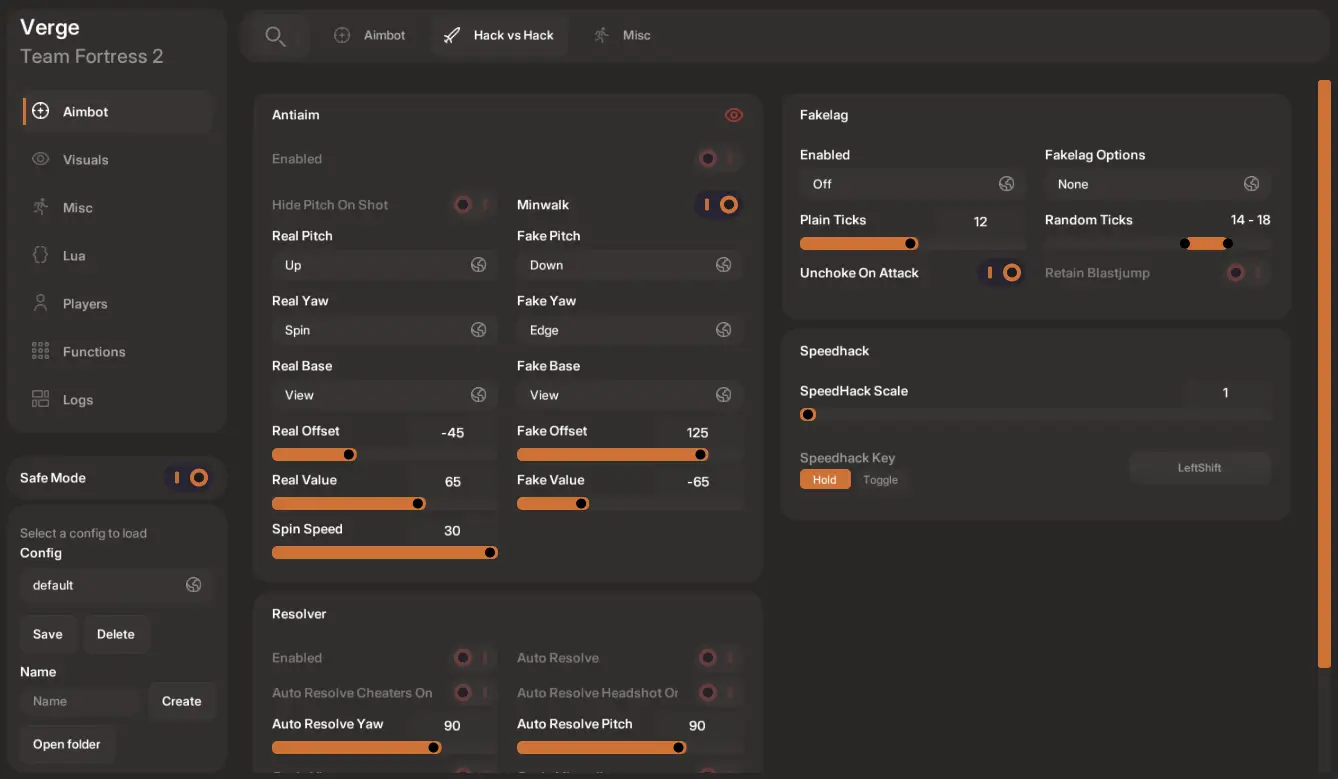
- Avoid hitscan shots
- Tweak real angles and fake angles separately
- Three fakelag options – default, movement, random
- Customize ticks to avoid others adapting
- Correct player’s hitboxes who are using anti-aim
Healing
- Automatically heal teammates around you
- Automatically apply resist types with tweakable damage scaling
- Automatically repair buildings around you
Visuals
ESP
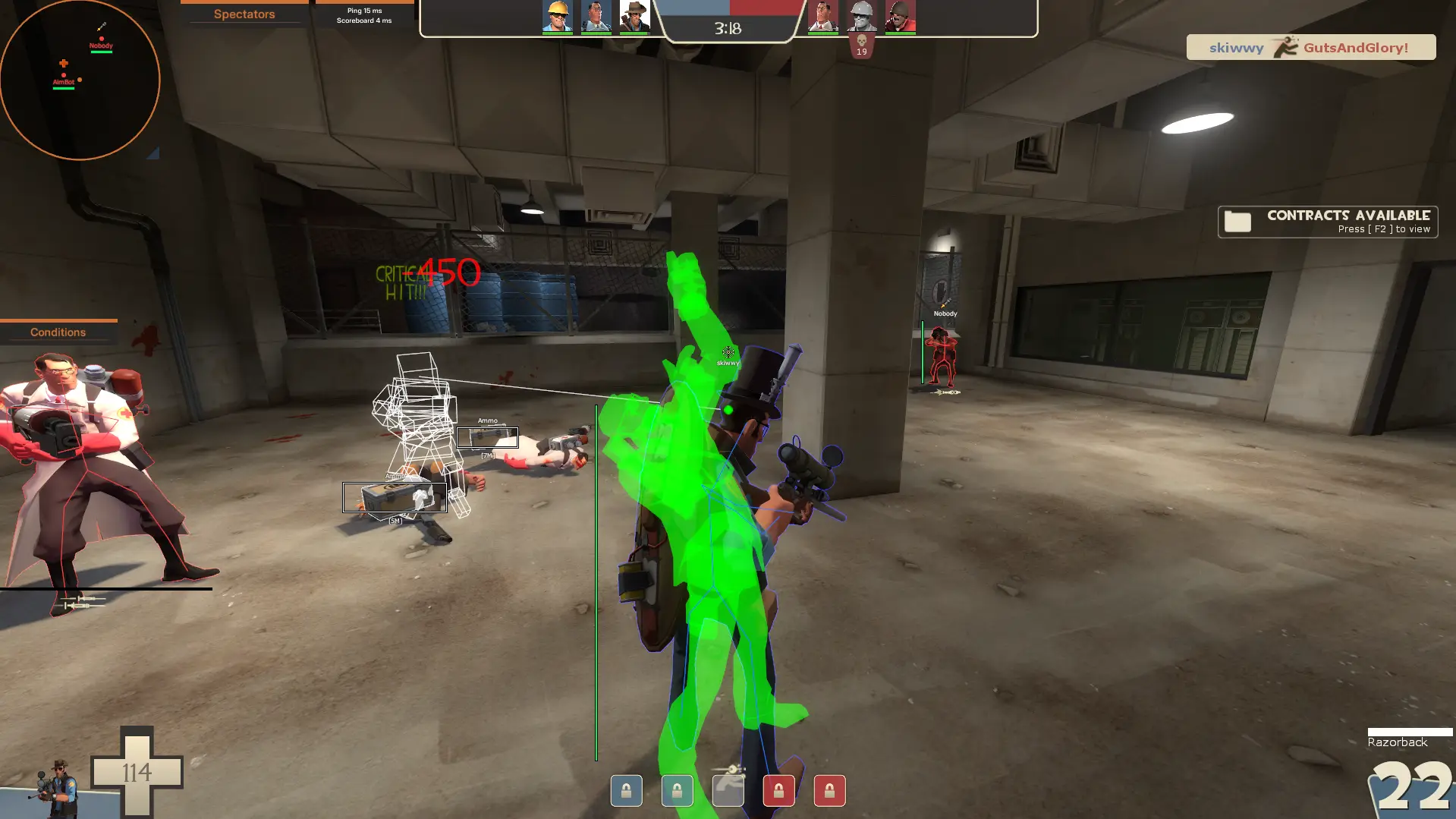
Spot enemies through walls – sorted by team, friends, and priority – with chams, glow, and aim feedback
- Display name, box, bones, health, class, and more
- Highlight players/entities with the choice of 7 materials
- Highlight a select list of entities – health, ammo, objectives, NPCs, and more
Radar
- Display name, health, class icon, distance
- Ping enemy spies when spotted on radar
- Easily change position and scale on screen
Aim Visuals
- Show simulated tracers of hitscan weapons
- Show simulated trajectory, aim path, and splash radius
- Display hitboxes and bounding box of enemies when hit
Lua API Engine
Powerful and Robust
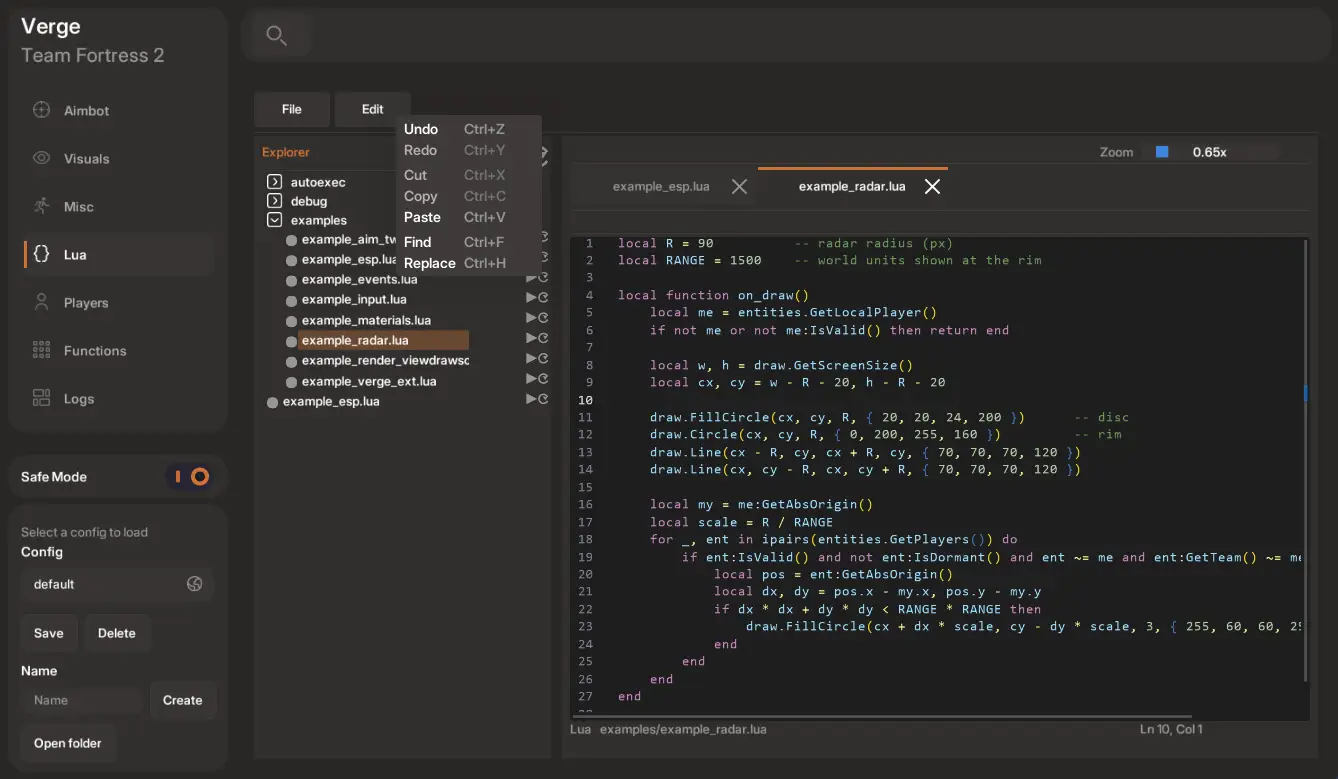
- Verge’s menu has an embedded little IDE to create, edit, and save full on Lua script workflows
- Create, delete, rename folders
- Multi-file editing with IDE state persistence so you don’t lose progress
- Common shortcuts for copy, paste, cut, undo, find
- Load and unload any script for seamless edits
- Autoexec allows scripts to load automatically on injection
- Tweak almost any part of TF2’s engine with purely Lua alone. In an ongoing effort, most of TF2’s engine has been mapped out. Currently roughly 90% exposed, with the last 10% being highly niche use cases that won’t be used in usual scripting anyways
- Many examples to learn from on the Lua API Page. With also a fully ported over Navbot to use and learn from(ships automatically with Verge). Original credits to lnx00
- Compatible with most LMAOBox scripts, with possible minor tweaks needed. A few minute session with an AI agent like ChatGPT or Grok can easily modify/create what’s desired
Automatic Rocketjumping
Fully simulate hundreds of hours of rocketjumping with the click of a button. Verge fully automates the process of ground blasts, wall blasts, and blast landing. Tried and tested, can complete most maps using this feature alone. It’s still advisable to learn the basics of rocketjumping. The better you are at basic rocketjumping, the greater the handling you’ll see using this feature, with exponential growth.
Can do the following
- Pogo and wall climbing – chain infinite pogo jumps in succession
- Spatial awareness rocketjumping – automatically handles choosing between rocketjumping via ground, wall, objects
- Speedshots – tick perfect rocket jumps with the use of a custom keybind
- Syncing – sync numerous rockets and automatically rocketjump when they land with a custom keybind
- Surf blasting – perfectly handles automatically rocketjumping when surfing
- Wall jumping – automatically handles rocketjumping against walls for infinite chaining
See it in action
Everything else in between
Miscellaneous Features
- Thirdperson camera view
- Bunnyhop, strafing, auto jumpbug, shield turn, and more
- Auto disguise, cheats bypass, region queuing, MvM instant respawn/revive, and more
Frequently Asked Questions
I have pre-sale questions, who do I contact?
Support email is support@vergetf.pro. Replies should be relatively quick on any day of the week. You can also contact me directly in the Discord Server.
What features are available? Will updates come later?
A full list of features can be found on the Features Page. Updates will come whenever I decide to add features. I have multiple planned for the future.
Is Verge undetected? What are the chances of a ban?
0% chance of a ban, IF you are not blatant to not trigger manual reviews. Verge goes through great lengths to ensure you stay under the radar of any anti-cheat, including VAC. Aside from EACH user having their own uniquely compiled version with randomized signature shuffling, Verge doesn’t use conventional injection methods at all and utilizes discreet bypasses/hijacking that attempt to stop VAC scanning altogether. Plus, current beta testers have not been banned in months of using. Just don’t be blatant to avoid manual reviews.
Is the free version undetected as well?
Yes, free version uses the exact same VAC bypass/avoidance methods as the paid version. Only difference is what features are available between the two. For now, there is no maximum trial period for the free version, so test as much as you’d like.
Verge is detected as a virus?
Virus Total scores the EXE a 10/70, which is decent. Mostly “warnings” because Verge is encrypted, fetches updates from an unknown source, and is unsigned. All of which are standard for publicly sold cheats, so there’s nothing to worry about. If you are skeptical, run Verge through sandboxie. Otherwise add Verge as an allowed program to run. No need to run as administrator.
What is the Lua feature? How do I make/use scripts?
The Lua API allows you to implement your own features, systems, automations, etc. by using Lua scripts. You can use whatever code environment you’d like(VSCode, Sublime, N++), but Verge does come with a built-in file manager and script editor fully compatible with Lua syntaxing. Verge also ships with compatability for most LMAOBox scripts.
What is Safe Mode? Can I disable this?
Safe Mode is a toggled option that cuts off features that “could” get you flagged. It’s enabled by default. Obvious features like anti-aim, doubletap, fakelag, crithack, backtrack, speedhack will be cut off completely while Safe Mode is on. Multiple users play without Safe Mode on and haven’t been banned, but it’s there for extra assurance. Personally recommended to not use on a main account that you don’t want to risk getting flagged and then manually banned.
How much does Verge cost? Is it a one-time payment or monthly?
$19.99 for permanent access. This price will never change, even if major additions are implemented.
Where do I download Verge? How do I use it?
Extremely easy to setup. You’ll receive all purchased orders immediately to your Downloads Page. To use: Run TF2, open the program, type your vergetf.pro username/password, click login and it will handle the rest. You then press INSERT to open the menu.
Can I share accounts?
No. Builds are pre-compiled and signed for your machine/IP only. To reset your current machine, you can automatically do so on the Account Page under the Devices tab. All users are allowed 1 device. Open a support ticket if you want a higher allownace. This process may change in the future where this is a purchasable account upgrade.
How are updates handled?
Fully automatic. If an update is pushed, you’ll receive the update the next time you login to the Verge program.
What payment methods are available?
Default payment provider is Stripe, which handles credit/debit card and bank. PayPal is also available as a secondary payment method. Other methods may be introduced later.
Discord? Community?
Currently Discord is the only community outlet: Discord Server. Purchasing Verge automatically gives you Premium role benefits once you’ve connected your Discord account inside your Connections.